 Context Workspace
Working with




Where AI work
becomes shared workspaces.
Turn related AI sessions into one visual workspace that people and agents can share, manage, and measure.
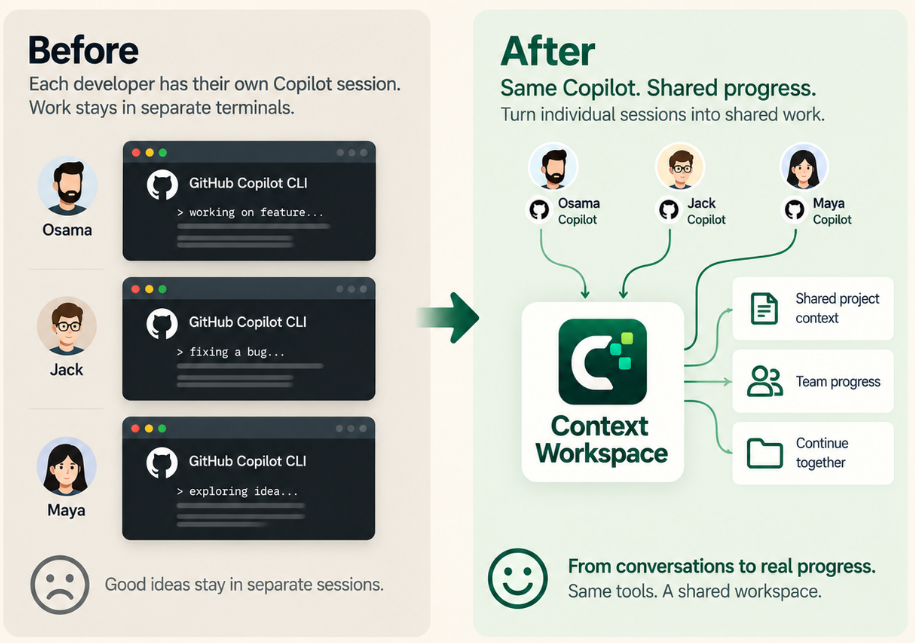
Use fewer tokensStop re-explaining the same workspace context.
Share context safelyShare workspace state, not private conversations.
Keep the team alignedPeople and agents continue from the same progress.
Turn related AI sessions into a shared Kanban workspace.
See what is done, what comes next, who owns each task, which agent is working, and where the workspace needs human attention.
Give the next person a useful handoff—not your AI conversation.
Publish a portable workspace snapshot to a dedicated Git branch. Teammates pull the project into their own local workspace and continue with its approved context.
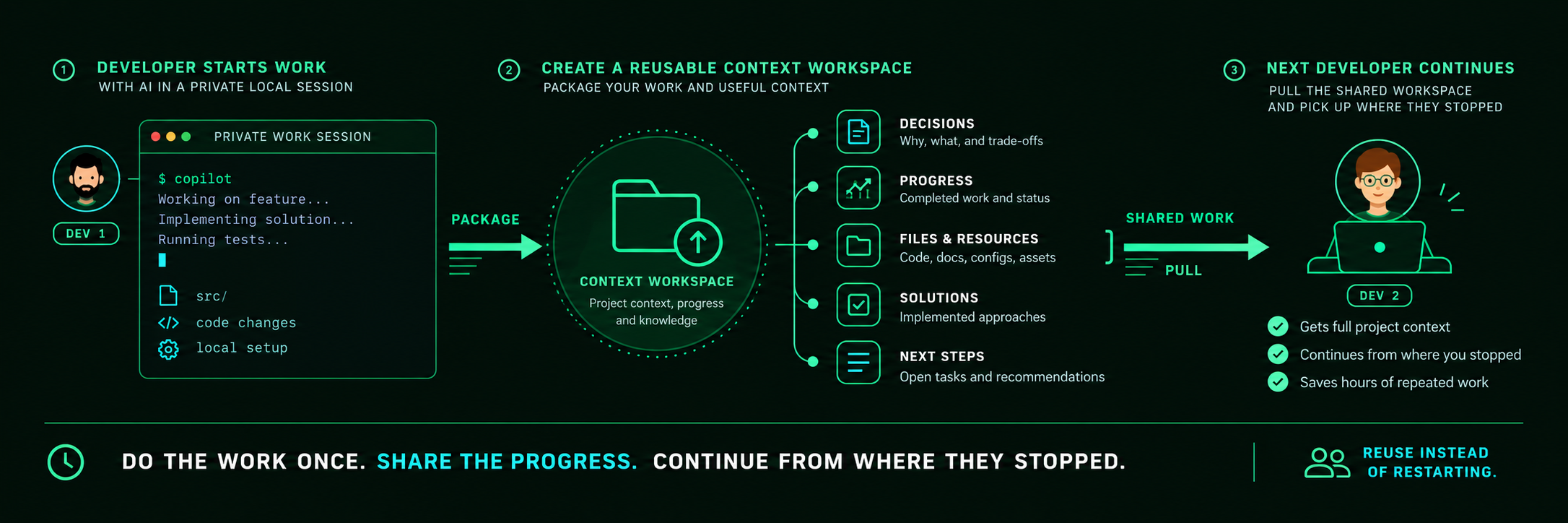
TicketsOwners, status, next steps
ProgressCompleted work and status
Approved KnowledgeShared notes, skills, tool names
InsightsProgress and aggregate AI usage
Next stepsOpen tasks and recommendations
Gets tickets, Knowledge & insights
Reusable Knowledge: Manage notes, skills, and integrations per workspace. Share only approved items; session-level tool access stays in your agent’s settings.
Install with the AI agent you already use.
Context Workspace detects supported agents, preserves your existing settings and data, and starts the local visual workspace.
Install Context Workspace from https://github.com/OAbouHajar/smart-ai-human-manager on this machine for GitHub Copilot CLI.

Detect the operating system and verify git, Node.js 22.13+, GitHub Copilot CLI, and PowerShell 7 on Windows. Clone the public distribution repository into a temporary directory, read its README and bootstrap installer, then run the installer with its no-open option. The bootstrap must download the exact latest stable release and verify its SHA-256 checksum.

Preserve existing Context Workspace data and unrelated Copilot settings. Configure the local Copilot plugin and lifecycle hooks. Verify `http://127.0.0.1:43120/api/health` returns `ok: true`, confirm GitHub Copilot is shown as configured, open the dashboard, and tell me whether Copilot must be restarted.